
A present-day decision, not a distant prediction
For US district leaders, the future of education stopped being a conference panel topic some time around 2023. It now sits on the same agendas as everything else. The curriculum office is being asked to evaluate AI tools. A STEM coordinator wants to pilot immersive learning equipment. Teacher workload data is flagging burnout risk. Accessibility audits, technology procurement deadlines, and funding decisions tied to moving state and federal programs round out the list.
The question for superintendents, principals, curriculum leads and procurement teams is no longer whether technology in education will reshape classrooms. It already is. The harder question is where it actually helps students, which use cases are worth investing in this academic year, and how districts adopt these tools without taking on risks they cannot manage.
Four areas are showing up most often in those decisions:
| Area | What’s actually changing | Decision that follows |
|---|---|---|
| AI | Lesson planning, grading, feedback and differentiation moving from manual to drafted-by-AI, reviewed-by-teacher. | What to use, what to skip, training plan. |
| Immersive learning | VR, AR, 360 environments and 3D models making engagement and access more practical. | Where to pilot, classroom controls, content fit. |
| Personalization | Adaptive pathways finally workable inside a 45 minute period. | Decision support, not autonomous decision making. |
| Inclusion and accessibility | Standard features on existing devices doing more of the work; immersive content adapts to sensory needs. | Train staff on what’s already there. |
AI in classrooms: workload, planning, feedback and differentiation
The most concrete near-term shift in technology in education is what AI is doing to the working week of a teacher.
McKinsey’s 2020 research with Microsoft found teachers work around 50 hours per week, and 20 to 40 percent of those hours go to activities that could already be supported by existing technology, including lesson planning, marking, parent communication, scheduling and progress reporting. The figure isn’t only about AI; tools released since 2023 simply make more of that ground recoverable.
Lesson planning
AI assistants can produce a working draft of a unit plan or single lesson outline in minutes, mapped to the standards a teacher actually teaches. The teacher still edits, adapts and decides; the starting point just isn’t a blank page anymore.
Grading and feedback
Tools that pre-mark short-answer quizzes, surface common misconceptions across a class, or draft written feedback on essays free teachers up for the harder calls about which students need follow-up.
Differentiation
Adaptive practice tools can give a student the next question pitched to where they actually are, not where the rest of the class happens to be. That isn’t new in concept; what’s new is that it works fast enough to be usable inside a 45 minute period.
None of this replaces teacher judgment, and the time savings only land if the district provides training on what to use, what to skip and where the limits sit. Tools without training tend to sit unused.
Immersive learning: engagement and access
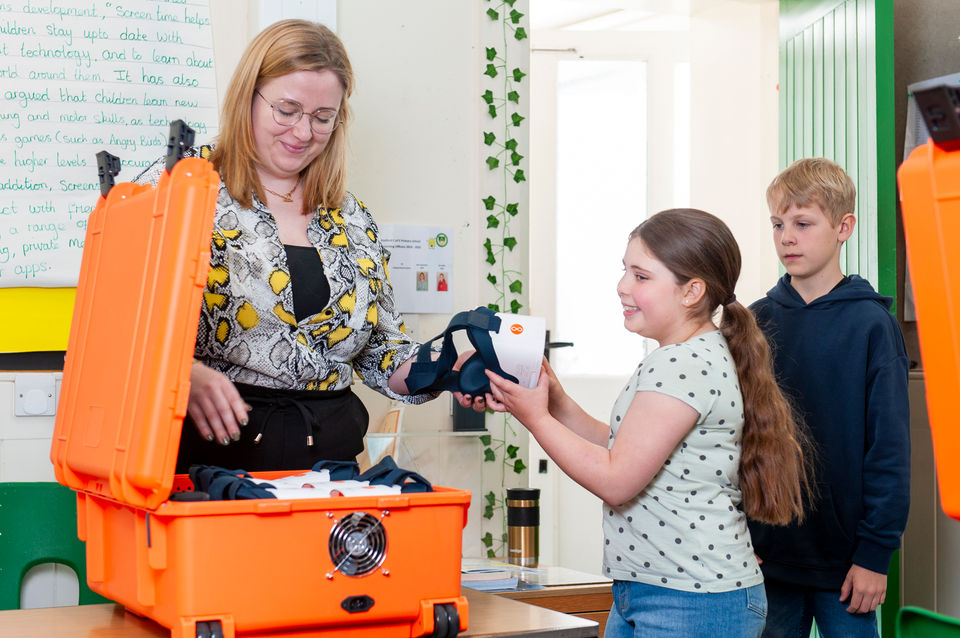
Immersive learning is the second shift districts are evaluating. In a US K-12 context, that covers virtual reality, augmented reality, 360 degree environments and interactive 3D models used to put students inside content rather than in front of it.
The strongest engagement evidence sits outside K-12. PwC’s study of VR soft skills training across 12 US workplaces found VR-trained learners were four times more focused than e-learning peers and 3.75 times more emotionally connected to the material than classroom-trained peers. That’s workplace training, not a 6th grade science lesson, so the figures support the engagement case rather than proving the same effect in every classroom. District-level evaluation still matters.
The K-12 case sits on three more practical points:
- Access to places students cannot otherwise reach. A virtual visit to the South Rim of the Grand Canyon costs the same per student in a Title I school in rural Mississippi as it does in a well-funded district outside Boston.
- Topics that are difficult to visualize from a textbook, such as cell biology, the chambers of the heart, or scientific equipment students may never see in a school lab.
- Career and technical education context. Walking a student through an operating room or manufacturing line offers career exposure that high schools historically depended on physical trips to provide.
Immersive learning works best when it’s embedded in regular teaching rather than treated as a one-off, and its impact depends on teacher training, classroom controls and content tied to what’s actually being taught.
Personalization is more practical, but still needs teacher judgment
Personalized learning has been a goal in US K-12 for decades. It never delivered at scale because the labor math never worked: teachers couldn’t plan multiple versions of every lesson, track every student individually, and grade everything before the week was out.
The infrastructure has caught up enough to make it practical. AI handles much of the differentiation in real time. Adaptive content libraries deliver different experiences from the same lesson stack. Learning management systems track progress without a teacher updating a spreadsheet at 9pm.
It still isn’t automatic. Personalization works when teachers stay in the loop. The technology surfaces what students need; the teacher decides whether the recommendation is right for that student, on that day, in that class. Treat it as decision support, not as an autonomous system.
Inclusive classrooms and accessibility
A future-of-education article that doesn’t address inclusion is missing the point. Around 15 percent of US public school students receive services under IDEA, and a far larger share have learning needs that wouldn’t appear in a formal eligibility category but still affect their day.
Built-in accessibility on devices districts already own
Live captions, screen reading, dictation, text-to-speech and reading-level adjustment are now standard features. Many teachers don’t know which are available, which is a training issue rather than a tooling problem.
Mainstream assistive technology
Word prediction, color overlays and noise-canceling audio have moved from specialist software into mainstream apps, so students who used to need a separate intervention can access the same content as their peers on the same device.
Adjustable immersive content
Immersive learning content can be adapted for sensory needs, with pacing that flexes for the student. EduverseTHRIVE, ClassVR’s wellbeing and inclusion focused immersive space, sits in this category. It’s designed to support readiness to learn, regulation and inclusive access. It doesn’t automatically solve every IEP or 504 need, but for districts evaluating an additional tool to support those plans, it’s worth assessing alongside other options.
Inclusive design tends to improve outcomes for students who don’t have a formal plan too. Captions help the English learner; dictation helps the student with dysgraphia or a temporary wrist injury. Built well, accessibility is just better classroom design.
Why teachers are not being replaced
Every wave of education technology has come with somebody predicting the end of teaching as a profession. Computers were going to do it. Then video. Then MOOCs. Then YouTube tutorials. Then AI. None of those predictions held up.
The pattern in districts where technology has actually improved instruction is consistent. The teacher’s role gets more specialized, not less important. Software handles the patterned work; the teacher handles the parts that need a human reading the room and exercising judgment.
That means professional development is a standing line item, not an annual one-day event. Time recovered from automation should be reinvested in teaching rather than packed back with administrative work. And selection authority belongs with educators: tools chosen by IT teams without classroom input tend to underperform.
Risks every district should plan for
Edtech trends move fast; the underlying risks haven’t changed much. Six worth a written plan:
- Data privacy. Tools collecting student data must comply with FERPA and state privacy laws. AI tools that send student work to third-party servers need particular attention; vendor contracts should be reviewed by counsel.
- Student safety. Filtering, content moderation and age-appropriate access aren’t optional in elementary settings. Consumer app stores, mature content libraries or unmoderated chat rarely belong in K-12 without significant configuration.
- Equity. Pilots that only run in schools with strong infrastructure widen gaps. Plan for the schools that will need more support, not just the fastest adopters.
- Implementation quality. Hardware that arrives without trained teachers ends up in storage. Budget training time and substitute coverage alongside the equipment.
- Total cost. The headline price is rarely the full cost. Add device management, replacement cycles, content licensing, professional development and IT support for a realistic five-year picture.
- Funding eligibility. Title I, Title IV Part A, Perkins V and IDEA Part B may be relevant depending on use case, district plan, eligibility criteria and state guidance. None automatically pays for any specific technology. Verify before assuming.
Piloting before scaling
The districts that have absorbed new technology well over the last decade tend to follow a similar pattern.
- Start in one classroom. Pick a teacher who wants to try it. Volunteers outperform conscripts.
- Pick a real lesson, not a showcase. Tie the tool to a unit the teacher is already running, in an ordinary week.
- Define success up front. Engagement, retention, time saved or learning gains. Pick one or two and write them down.
- Run it long enough to judge. A multi-week unit beats a single 30 minute session.
- Capture what happened. Teacher interviews, short student surveys, work samples. The evidence the board needs comes from inside the district.
Two ClassVR implementations that show the pattern
Montgomery Public Schools in Alabama, a 27,400-student district, eventually rolled ClassVR across 41 of its 50 schools using ESSER funding. The path started with a single STEM lab at Dalraida Elementary. The superintendent toured the lab, watched what was happening, and built the district plan from there (case study). Proof first, scale second.
Donegal School District in Lancaster County, Pennsylvania began rolling out ClassVR in October 2021. Their Instructional Technology Coach modeled VR lessons inside subjects teachers were already running, rather than introducing a separate VR curriculum that competed with existing planning (case study). Adoption rose because the new tools made the existing job easier rather than adding to it.
The shared lesson: start small, anchor the pilot in a real classroom, map immersive learning to current teaching, support teachers carefully, and scale only after the proof is in.
What district leaders can do this semester
A practical next step doesn’t have to be a five-year strategic plan. Three moves to consider:
- Audit where technology could help. Where could it reduce teacher workload, improve access for students currently going without, or strengthen engagement on the topics teachers describe as hardest to teach?
- Pick one use case. One classroom, one teacher who wants to try it. Set a defined success measure and a written-up evaluation.
- Use what you learn. Inform the next decision, not the next ten. Districts that build a habit of pilot, evaluate, scale make better calls than those buying at scale from a sales presentation.
For schools exploring immersive learning specifically, ClassVR gives educators access to over 300,000 carefully curated immersive resources across science, social studies, ELA, CTE and beyond, with classroom controls designed for teachers managing 30 students at once. ClassVR supports curriculum aligned classroom use, with content that maps to state and national standards. If it’s on your list of use cases to test this semester, book a free demo and we’ll set one up against the standards your district teaches.