


AI Tool for Education
Immersive content creation for educators
- Create any visual
- Display on any device with a Wifi connection
- Bring learning to life with a few prompts
Available through Eduverse+ subscription
Register Your Interest
Eduverse+ includes everything you currently access in your Eduverse subscription, plus much more.
Unlocking four dynamic content suites:
Benefits of AI Content Creation for Education
Teaching Flexibility
Generate educational 360° images from a single prompt in a matter of seconds. Choose from 38 unique styles to suit different subjects and age groups, with advanced settings available for those who want even more control over the final image.
Bring Classroom Concepts to Life
Whether you’re setting the scene for a piece of descriptive writing, exploring a moment in history, or introducing a real-world location, you can generate a vivid 360° image in seconds. It’s a quick, effective way to spark curiosity, inspire creativity, and take students beyond the page.
Easy Lesson Planning
Instead of spending time searching for the right resource, create customised learning experiences to suit your lesson plans and student needs in a matter of seconds. The learning possibilities are endless.
Generate custom 360° scenes for your lessons in seconds
Harness the power of AI to open up interactive, immersive worlds that deepen student engagement. With ready-to-use tools, teachers can quickly create experiences that make subjects easier to grasp, increase participation, and keep students motivated.
How it works:
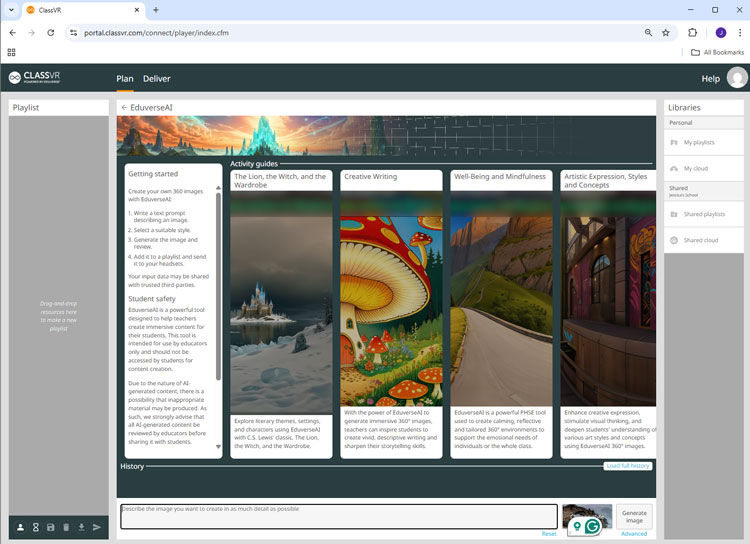
Write a Prompt
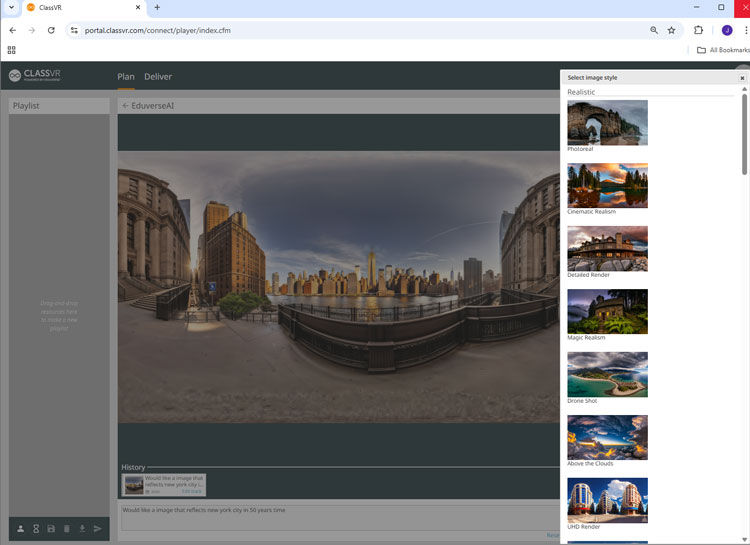
Choose a Style

Generate Image
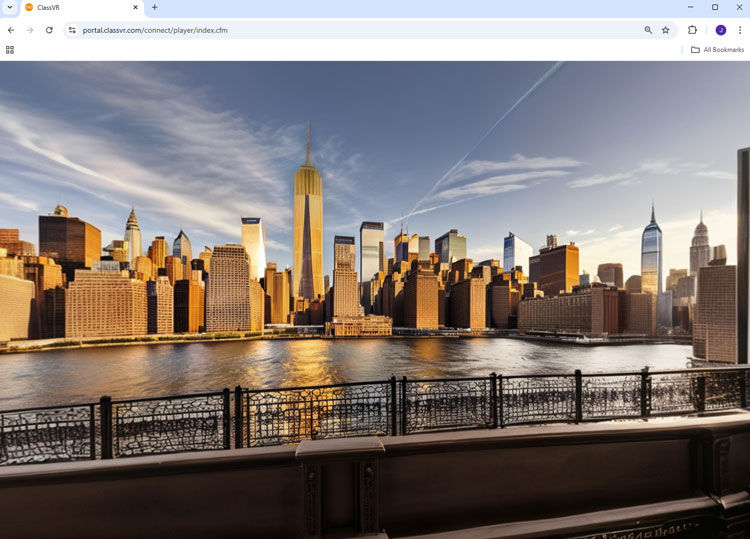
Review & Refine
Teacher-Created AI Experiences
Discover real examples of teacher prompts turned into immersive AI-powered content:

See How Schools Are Using EduverseAI
“One student described a dystopian landscape filled with giant metal squids floating in the sky. We generated an image from his description, and it gave the class an incredible shared visual reference, which sparked great conversation around precision in writing”
Dalton Flanagan, Chinese International School of Hong Kong
Discover how EduverseAI is transforming learning experiences worldwide.

Important Information for Educators
EduverseAI is intended for use by educators only and should not be accessed by students for content creation. As AI-generated content may occasionally include inappropriate or NSFW (Not Safe for Work) content, we strongly recommend that all AI-generated content be reviewed by educators before sharing with students.
Additionally, Blockade Labe, the service that provides EduverseAI, restricts use to individuals 18+, as stated in their Terms of Service (see paragraph 3). For further details on their policies regarding NSFW content, please refer to their FAQ section here.
Frequently Asked Questions
What are the advantages of AI in education for Students
AI is transforming classrooms by making learning smarter, faster, and more inclusive. Here are the main benefits:
- Tools like AI tutors provide real-time corrections and explanations, helping students learn from mistakes immediately -available with EduverseCTE
- Skill development: AI fosters creativity, critical thinking, and digital literacy—skills essential for future careers
- Efficiency: instant content creation decreases time while improving understanding—students can complete tasks faster and with better accuracate results
How do I create a 360° image with EduverseAI?
It’s simple! Write a prompt describing the scene you want to create, select from over 38 different styles, and click ‘generate.’ Your customised image will be ready in seconds.
Can EduverseAI be used in any subject?
Yes! EduverseAI is highly versatile and can be used in subjects like Language Arts, Science, History, Art, and even Social-Emotional Learning (SEL). You can tailor it to suit any lesson plan.
How does EduverseAI save me time?
Instead of spending hours searching for suitable resources or creating visuals from scratch, EduverseAI allows you to generate exactly what you need in seconds – customised to your specifications.
Do I need any special software or equipment to use EduverseAI?
No special software is needed. EduverseAI is accessible through the ClassVR portal in your web browser.
Can I customise what I don’t want to appear in an image?
Yes, EduverseAI has an advanced option that allows you to specify elements you want to exclude from the scene for more control over the final image.