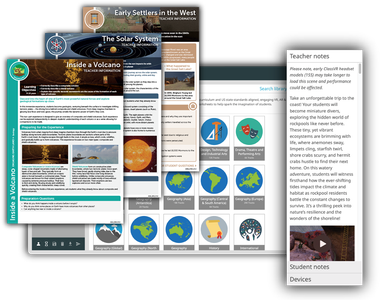
Over 100,000 pieces of Immersive Content Available
Our content includes 360° images, videos, explorable scenes, and 3D models – available for every subject.
Each content comes with teaching resources, including lesson plans, teacher notes, and student work sheets, to easily help intergrate ClassVR into every lesson.
Designed by Teachers. Empowering Students Everywhere.
Bring complex ideas to life by letting students see and experience them up close – right in the palm of their hand.
With ClassVR’s AR cube, learners can hold, rotate, and examine 3D models as if they were real objects in the palm of their hands, making abstract concepts tangible and interactive.
From studying the intricate details of a human heart to viewing ancient artefacts from every angle, 3D models spark curiosity, deepen understanding, and bring subjects to life in ways textbooks never could.
Take Them There with 360° Images and Videos
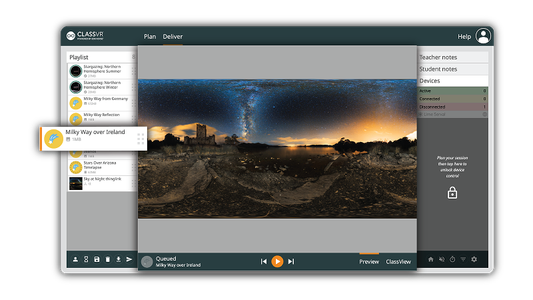
ClassVR makes it easy to immerse students in the real world through powerful 360° images and videos. From exploring ancient ruins to diving beneath the ocean, learners are transported beyond the classroom and placed right in the middle of the action.
Teachers can also upload 360° content directly to headsets, bringing authentic locations and experiences into the lesson at the click of a button. It’s a simple, powerful way to enrich understanding and create moments students will never forget.
With ClassVR, exploration doesn’t just support learning, it transforms it.
Turn Every Lesson into a Journey of Discovery
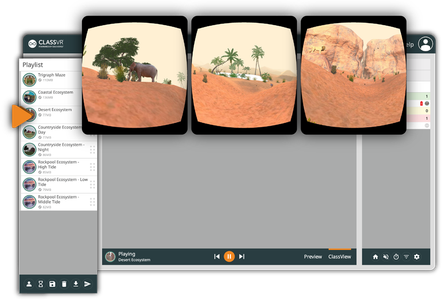
Our Explorable Scenes place students at the heart of learning, surrounded by dynamic environments they can move through, navigate, and explore.
This interactive approach goes beyond simply seeing; it makes them feel present in every moment. By actively engaging with their surroundings, learners build a deeper connection to the subject matter, sparking curiosity and strengthening understanding.
These experiences also foster empathy, creativity, and critical thinking skills that help students grow not just academically, but personally.
Build Critical Thinking Skills
Our teacher support resources are designed to deepen learning within virtual field trips. Comprehensive lesson plans and teacher notes help align each experience with the curriculum, while student activities and guided prompts drive engagement and meaningful discussion.
With our content creation tools, teachers and students can extend their field trip experiences even further. Students can upload or recreate their own virtual journeys, then revisit them in VR to reflect, analyse, and refine their understanding
Level the Educational Playing Field
ClassVR’s virtual field trips open the door to experiences many students would otherwise never have access to.
Including exploring the world, visiting iconic locations, and engaging with powerful learning moments—without the barriers of cost, permission slips or travel.
Our Career and Technical Education Content empowers students to think bigger, explore deeper and achieve more.
Set Students Up for Success Beyond the Classroom
Our Career and Technical Education Content empowers students to think bigger, explore deeper and achieve more.
With Eduverse+, our CareerHub delivers inspiring videos to unlock a world of career opportunities that span diverse industries and professions showcase exciting roles across in-demand job sectors.
Our Xcelerate solution includes EduverseCTE, designed to empower students by teaching essential soft skills to help them enter the workforce, giving students interactive experiences across a variety of high-demand industries, and allowing a greater understanding of everyday working life through immersive job shadowing.
Eduverse+ opens up a world of learning with forever growing content suites. Discover wildlife in stunning 360° videos, dive into STEAM with interactive 3D models, create custom images using AI-powered content generation, and connect classroom learning with real-world career pathways.
Ready for Back to School 2026, there are now two new content libraries: EscapeRooms, where students develop their maths through interactive problem solving, and LingoLab, immersive ELL learning.
Build Maths Fluency Through Immersive Puzzle-Solving
Turn maths practice into an immersive challenge. In EscapeRooms, students enter virtual escape rooms where they solve puzzles, tackle rapid-fire maths questions and work against the clock to break free.
Through interactive problem-solving and hands-on challenges, students practice key mathematical skills while developing critical thinking, perseverance and confidence, making maths more engaging, purposeful and memorable.
NEW
Develop Language Skills Through Authentic Experiences
Immerse students in realistic, real-world scenarios where they can practise language, develop communication skills and build confidence. LingoLab provides a structured, curriculum-aligned library for English Language Learning, helping students apply new vocabulary and language skills in meaningful contexts.
Through immersive conversations and interactive experiences, LingoLab turns language practice into purposeful experiences that encourage participation, build fluency and make learning more memorable.
Dive into Nature with 360° Wildlife Experiences
Take students on a journey through the natural world like never before. Endorsed by conservationists, WildWorld offers immersive 360° wildlife videos, narrated films, and ‘wild fact’ resources, showcasing over 200 species.
Connect Students with Real-World Career Exploration
Prepare students for future careers by connecting the classroom with real-world career skills. Enable students to explore career pathways with realistic hands-on experiences across healthcare, engineering, manufacturing and more.
Transform STEAM Lessons with Interactive 3D Models
Support the teaching of art, biology, physics, and geography with next generation STEAM content. Use lifelike 3D models to convey complex concepts, illustrate microscopic detail, and encourage further exploration through interactive interfaces.
Unleash Creativity with AI-Powered Content
Create personalized journeys where students can explore customized virtual worlds. Through AI-powered content, transform traditional lessons into hands-on experiences that help to deepen understanding and students’ connections with learning.
New for 2026 Academic year
Available with ClassVR Xcelerate, EduverseSTEM combines immersive VR technology, 500+ curriculum-aligned STEM experiences, classroom management tools and a Gold Standard Project-Based Learning framework to give students hands-on opportunities to explore complex concepts, conduct virtual experiments, develop engineering solutions and demonstrate their learning through authentic STEM projects.
Seamless Control for Every Lesson
Transform teaching with immersive VR content that’s engaging, easy to manage, and fully under teachers control. The ClassVR portal is built for educators, giving real-time visibility and tools to guide, monitor, and enhance every VR lesson.
Launch VR Experiences Simultaneously
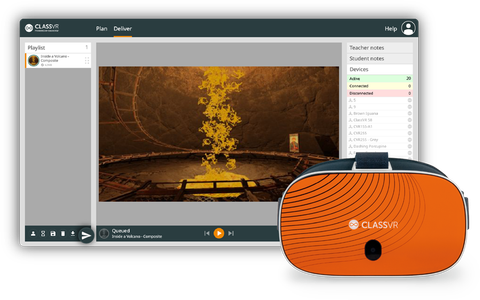
Send a VR experience to every headset with a single click, or let students explore independently at their own pace.
Real-Time Student Monitoring
View student headset activity live with ClassView. Instantly follow along with what every student is exploring, ensuring they stay focused, engaged, and on track throughout the lesson.
Guide and Focus Student Attention
Stay in control with tools like dynamic points of interest and headset locking, keeping students engaged and on task.
Record and Review Student Sessions
Capture student activity in ClassView to review progress and evidence learning.
Push Content Instantly to Headsets
Instant content delivery, select your resources and send them to headsets in seconds, keeping your lessons flowing smoothly.
Attention Mode
Pause all headsets instantly to bring attention back to the front of the class.
Drag-and-Drop Playlist Creation
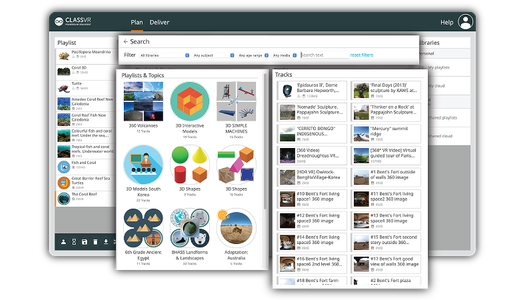
Simplify lesson planning, just drag and drop resources from our curriculum-aligned library into custom playlists you can edit, save and launch in seconds.
Ready-to-Use Lesson Plans
Our immersive content is paired with curriculum-aligned, ready-to-use lesson plans, complete with objectives, resources, teacher notes, and student prompts, making it easy to integrate into your lessons.
Frequently Asked Questions
What is immersive content?
Immersive content is any type of digital media that makes the viewer feel fully present in the experience, rather than just watching it on a screen. This can be achieved through technologies such as virtual reality using 360° videos or interactive simulations.
What is augmented reality?
Augmented Reality (AR) is a technology that overlays digital features onto the real world.
Using a camera and clever tracking technology, augmented reality shows you the real environment with computer-generated elements on top. It’s as simple as that!
Check out our latest blog to find out more: https://www.classvr.com/au/blog/augmented-reality-definition-understanding-what-it-is/
What are the benefits of an immersive classroom?
An immersive classroom is a learning environment that uses XR technology to support student learning.
The main benefit is that it opens students up to a whole new world, taking them anywhere without leaving the classroom. From VR field trips to Mars to the middle of the desert, students can see and experience places in ways they never could before.
Immersive classrooms have been proven to boost engagement and improve learning outcomes. Studies show that students who experience visual, fun, and engaging lessons are more likely to retain the information they have learned.
How do you create immersive experiences?
ClassVR provides thousands of ready-to-use immersive experiences, but teachers also have the freedom to create and upload their own content.
Our AI content generation tool makes it easy to create custom 360° images from a simple prompt. You can also upload your own images and videos to the ClassVR Portal for use in VR.
For more interactive options, platforms such as ThingLink allow you to design 360° resources that can be uploaded into ClassVR to further enrich your lessons.
Is the content curriculum-aligned?
Yes. All ClassVR content is curriculum-aligned.
Our team of Education Specialists create and curate content that reflects classroom learning and provide teacher and student notes to guide learning. These resources make it easier to plan and deliver lessons with confidence.
How do you access VR content?
ll ClassVR content is available through a subscription. Teachers can access thousands of curriculum-aligned VR and AR resources, including 360° images and videos, explorable scenes, interactive 3D models, and more.
Contact our sales team to explore our different content packages.
Can teachers create their own VR content?
Educators can easily create and upload their own content to the ClassVR Portal. This could be 360° photos and videos captured on a camera or interactive resources designed on third-party applications such as ThingLink or CoSpaces.








.png?updatedAt=1756980886997)