

VR for Education that’s Built for the Classroom
ClassVR produce VR headsets designed for schools. With purpose-built hardware, thousands of curriculum-aligned resources, and classroom management that keeps you in control—without the IT headaches. Every student gets to explore, regardless of ability or background.
Why Schools Choose ClassVR Over Consumer Headsets
Consumer VR headsets like Meta Quest were built for gaming. They work fine at home, but they weren’t designed for 30 students sharing devices across a school day. There’s no teacher dashboard, no centralized content management, and no way to lock them down for classroom use.
ClassVR was designed by educators, specifically for schools. Every piece of the system—the headsets, the content, the software, the support—was built around what teachers actually need: something that works the first time, every time, without requiring a tech specialist in the room.
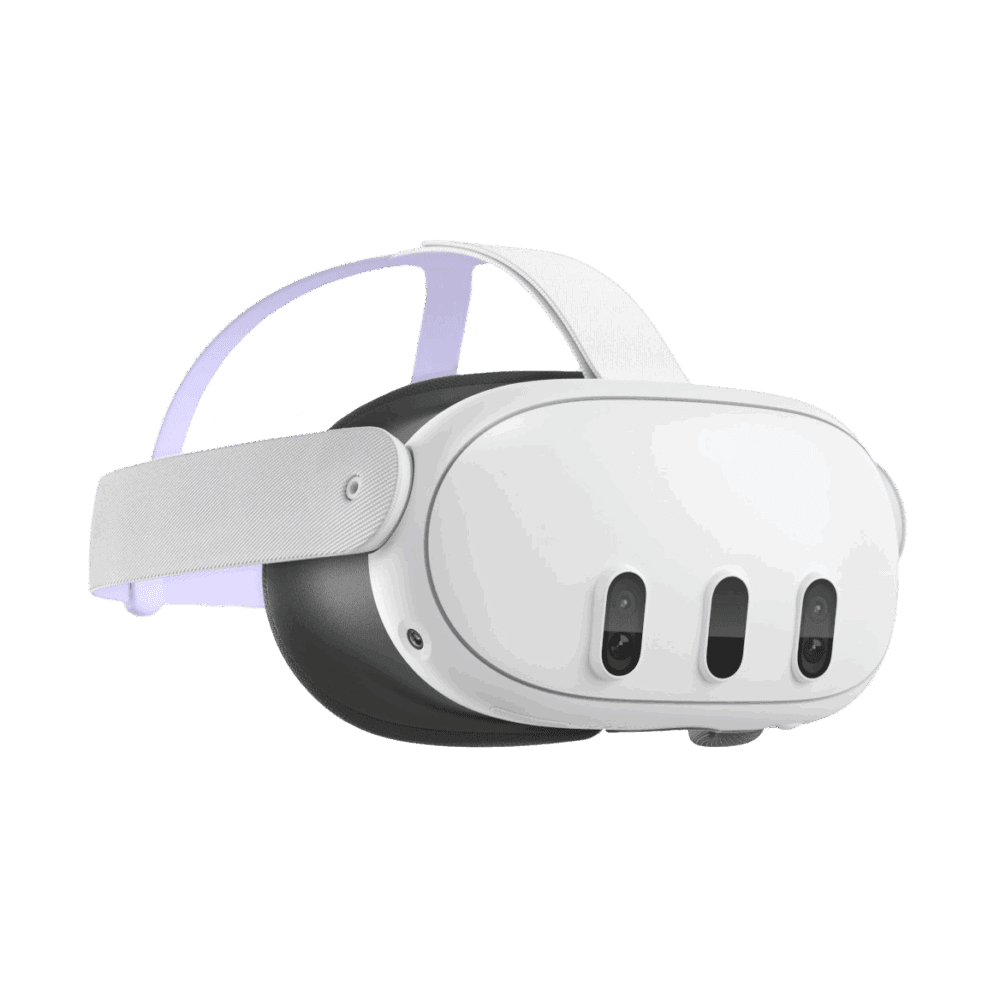
Consumer VR
(e.g. Meta Quest)
- Requires third-party apps for education content
- No teacher controls or monitoring
- Open internet access for students
- Individual device setup and management
- Consumer support channels
- Collects user data
ClassVR
Xplorer & Xcelerate
- Thousands of curriculum-aligned resources built in
- Centralized management across all headsets
- Full teacher dashboard with live monitoring
- Locked-down headsets, no student internet access
- Dedicated school support and training
- No student data collected
Choose the Right Headset for your School.
Two headsets. Different use cases. Both purpose-built for shared classroom use.
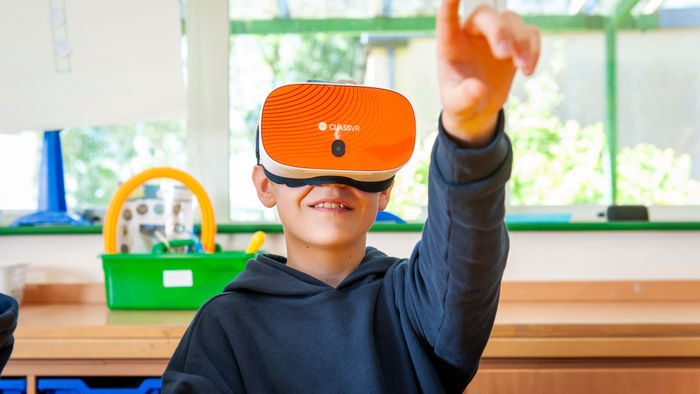
Xplorer Headset
Best for: K–12 schools integrating VR across the curriculum
Xplorer is our most popular headset, used in thousands of US classrooms. It’s built for all-day shared use with an adjustable strap, a customizable interface, and hardware that’s easy to clean between students.
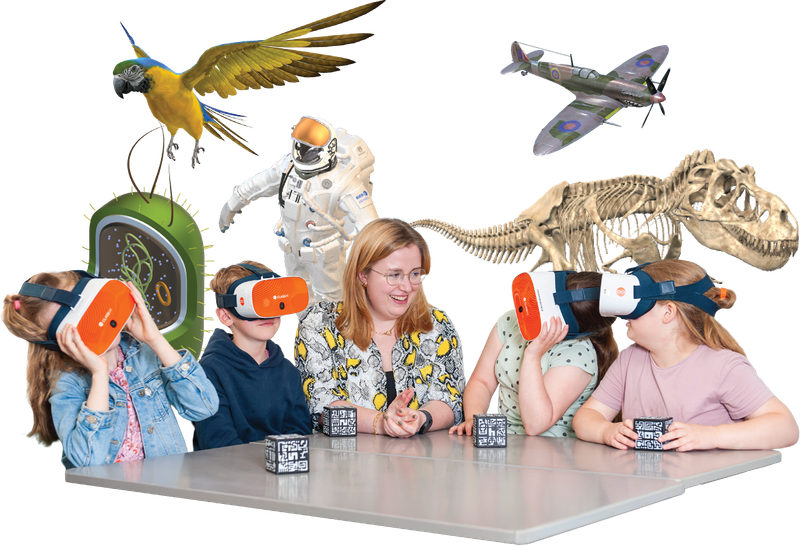
Paired with Eduverse, it gives you access to thousands of immersive experiences across every subject area. Plan a lesson, push content to every headset with one click, and see what each student is seeing in real time. Virtual field trips, science simulations, historical environments, all ready to go.
.jpg?updatedAt=1757689844274)
Xcelerate Headset
Best for: High schools, CTE programs, and career readiness initiatives
Xcelerate was designed for career and technical education (CTE). Full spatial tracking, hand controllers, and a flip-up visor that lets students switch between virtual and real environments mid-lesson.
Paired with EduverseCTE, students explore career pathways through immersive job shadowing, practice technical skills in realistic simulations, and build workplace soft skills with AI-powered feedback. Content is mapped to industry standards and supports Perkins V pathway alignment.
.png?updatedAt=1774541388388)
Allentown School District – Alabama
See Allentown support elementary students across its 24 schools driving support to Student learning, providing safe spaces for regulation.
.png)
Barbers Hill ISD – Texas
A district wide vision for Immersive learning. Barbers ISD serves provided 7000 students with VR learning experience to drive english, math and social student engagement.
.png)
Montgomery PS – Alabama
Discover how Montgomery Public Schools in Alabama is engaging students in STEM and literacy with ClassVR.
Content That’s Ready to Teach.
Every ClassVR headset comes with access to Eduverse—a library of curriculum-aligned immersive experiences organized by subject, grade, and learning objective. No hours spent hunting for VR content that actually fits your lesson plan. And because every student learns differently, we’ve built content tiers that support inclusive classrooms too.

Best for: Schools Getting Started
Comprehensive VR/AR library, lesson plans, teacher notes. Upload your own 360° content.
Includes:

360° images and videos

3D models

Explorable scenes
Most Popular

Best for: Teachers who Want to Build Custom Experiences
Everything in Eduverse+ AI-powered content creation with EduverseAI.
Includes:

Eduverse content library

AI-generated resources

Immersive wildlife videos

Career exploration

Interactive STEAM models

Best for: CTE and Career Readiness
Career-focused simulations, job shadowing, AI feedback. Mapped to industry standards.
Includes:
Eduverse content library
Career exploration & job shadowing

Soft skills development

Hands-on technical & vocational training

Interview role play with real-time AI feedback

Best for: inclusive Learning
Builds life skills, classroom empathy, and emotional regulation through safe, structured virtual.
Includes:
Virtual Sensory Rooms
Personalised Sensory space
Build classroom empathy videos
Life skill development
You’re in Control of Every Lesson
Send and Manage Content
Across every headset simultaneously, or let students explore at their own pace
See What Students See
With ClassView, live monitoring that shows each student’s point of view in real time
Keep Lessons Focused
Stay in control with tools like dynamic points of interest and headset locking, keeping students engaged and on task
Plan in Seconds
By dragging resources from the content library into custom playlists
Stay Secure
with locked-down headsets, restricted internet access, and no student data collection
Use it across any subject or year group
With age-appropriate content ready to go from day one
What US Educators are Saying
-

Bryan Cutter, Principal
Montgomery Public Schools, USA
“I wanted to find a way to use VR to immerse students in experiences where they can virtually travel to different places and have experiences that enhance the curriculum.”
-

Sarah Rose, Deputy Head
Corley Academy, UK
“Instead of having to imagine things they can actually see it or be immersed in it, which is going to transform the way our students learn and grasp concepts. VR/AR can help us to support the development of our students in so many ways, and it’s already starting to make a big difference.”
-
Adrian Ferguson, Computing Lead
Prague International School
“I would strongly encourage other schools to implement VR. It offers a great selection of resources across all year groups and curriculum areas. It’s a massive advantage for students and can add an extra depth to lessons.”

Trusted by 20,000+ classrooms worldwide.
ClassVR is the most awarded VR solution in education. US districts including LAUSD have chosen ClassVR for their schools. Every school gets a dedicated technical account manager and direct access to our support team—real people who know the product and can help from setup to your hundredth lesson.












Flexible funding options for your school.
Schools across the US are using a range of funding sources to bring ClassVR into their classrooms. Whether your district is working with federal grants, state allocations, or existing technology budgets, we can help you find the right path.
Title I, II, and IV-A funding for technology that supports instruction and student achievement
Perkins V grants for career and technical education programs (Xcelerate + EduverseCTE)
ESSER/ARP funding where still available for learning recovery and engagement State EdTech grants and district technology budgets
Frequently Asked Questions
What is VR for education?
VR for education uses virtual reality headsets to create immersive learning experiences in the classroom. Students can explore historical sites, visualize scientific concepts up close, take virtual field trips, and practice real-world skills through simulations. All without leaving their desks.
How is ClassVR different from consumer headsets like Meta Quest?
ClassVR was built specifically for schools. That means teacher controls, curriculum-aligned content, locked-down student access, centralized device management, and dedicated school support come standard. Consumer headsets need third-party apps, have no teacher dashboard, and aren’t designed for 30 students sharing devices throughout a school day.
Do teachers need technical experience to use ClassVR?
No. The ClassVR portal was designed by education specialists for teachers. It’s intuitive enough to pick up in a single session, and every school gets hands-on training to get you started. If you can use a web browser, you can run a VR lesson.
What ages is ClassVR suitable for?
Xplorer works for students from preschool through high school. Xcelerate is designed for older students in CTE and career readiness programs. Eduverse content is organized by grade level and learning objective, so you can find age-appropriate resources quickly.
Is student data collected through ClassVR?
No. ClassVR headsets are locked down by design. No student data is collected, internet access is restricted, and all content is fully teacher-controlled. Devices are managed centrally through the ClassVR portal.
Can ClassVR be purchased with federal or state funding?
Yes. Schools across the US have used Title I, Title IV-A, Perkins V (for CTE), ESSER, and state EdTech grants to fund ClassVR. Talk to our team and we’ll help identify the right funding path for your district.