
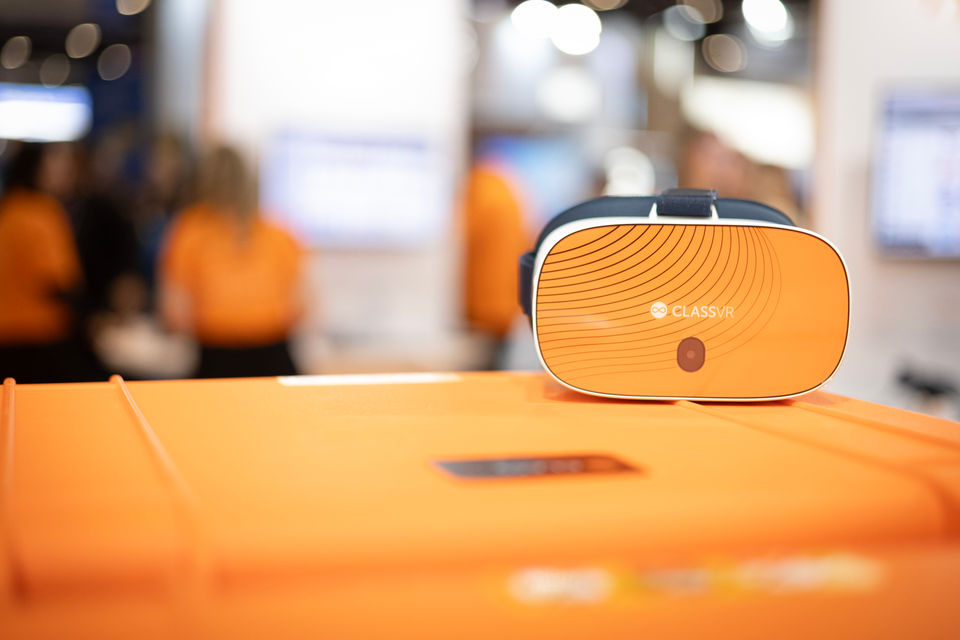
Last year, a middle school in rural Texas bought a full set of VR headsets using Title I money they’d been spending on workbooks for a decade. Their science scores went up 23% in one semester. The technology coordinator told us she’d expected pushback from the grant office. She got a phone call asking how other schools in the district could do the same thing.
That’s the thing most educators get wrong about funding VR. They assume it’s a hard sell. It isn’t. Federal programs like Title I, Perkins V, IDEA, and Title IV-A all allow technology purchases when tied to student outcomes. The money is already flowing into your district. You just need to know how to direct it.
This guide covers which funding programs work, what grant reviewers actually look for, and how to write a proposal that doesn’t end up in the rejection pile.
The Federal Programs that Already Pay for This
You probably don’t need to find new money. Most districts are already receiving federal funding that covers classroom technology. The trick is knowing which pot to pull from and how to frame VR as a curriculum tool rather than a gadget.
Title I, Part A
$18.6 billion a year. That’s the FY 2025 allocation for Title I Part A, making it the single largest federal K-12 education program in the country. It reaches roughly 26 million students across more than 60,000 schools. If your school receives Title I funds, you’re already eligible.
Here’s where it gets practical. Schools where at least 40% of students come from low-income households can run schoolwide programs — which means they can use Title I funds flexibly rather than targeting individual students. VR fits neatly into that framework when positioned as a tool for closing achievement gaps, boosting engagement, or expanding access to experiences students wouldn’t otherwise have.
The formula is based on poverty rates, so you don’t apply for Title I. You receive it. The question is whether anyone in your district has thought about directing a portion toward immersive learning.
Perkins V (career and technical education)
If your school runs CTE programs, this one’s a no-brainer. The Carl D. Perkins Act — signed July 2018, effective from July 2019 — puts $1.4 billion a year into career and technical education. That money covers equipment, technology, and professional development for programs preparing students for high-skill, high-demand careers.
VR is arguably one of the strongest fits here. Students can practice welding in a virtual workshop. They can shadow a surgeon, walk through a construction site, or rehearse a job interview — all without the liability, logistics, or cost of doing it for real.
ClassVR’s Xcelerate headset was designed with CTE in mind, and the exclusive EduverseCTE subscription was built specifically for this use case: career exploration, job shadowing simulations, soft skills development, and real-time AI feedback on technical tasks. If your district runs Perkins-funded programs in manufacturing, healthcare, construction, IT, or business, this is a natural fit. Explore the full VR CTE solution to see how it maps to your pathways.
IDEA funding
IDEA’s Educational Technology, Media, and Materials program supports accessible technology for students with disabilities. Two specific funding areas apply: accessible tech and educational media. You can find a full breakdown on our IDEA funding page.
The applications in special education are genuinely compelling. A child with autism can practice social situations — ordering food, navigating a busy hallway — in a controlled VR environment before facing them in real life. Students with physical disabilities can take virtual field trips to places they couldn’t otherwise access. Those facing geographic or financial barriers get the same powerful learning experiences as students at well-resourced schools.
That equity argument matters in an IDEA application. You’re not just proposing technology. You’re making learning accessible and inclusive for students who face barriers that traditional classroom materials can’t overcome. A virtual field trip to a complex science lab costs nothing once the headset is in front of the student.
ClassVR’s SpEd resources and the EduverseTHRIVE subscription were designed around exactly these needs. That kind of specificity matters in an IDEA application — you’re not proposing generic technology, you’re proposing a solution with content and features built for the students you serve.
Title IV-A
Title IV-A covers well-rounded education, safe and healthy students, and effective use of technology. The technology component explicitly supports purchases that improve academic achievement and digital literacy. VR checks both boxes.
One caveat. Title IV-A has faced proposed cuts in recent federal budgets. It hasn’t been eliminated, but allocations have been uncertain. Check with your state education agency for current figures before building a proposal around it.
ESSER funds and what comes next
A lot of schools bought VR with ESSER money. Nearly $190 billion across three rounds made it the largest one-time federal investment in K-12 education ever. St. Louis Public Schools used ESSER funds to bring ClassVR headsets into classrooms across the district — a real example of how federal grant money translated directly into immersive learning for students who needed it most.
But the obligation deadline passed on September 30, 2024, and most states are winding down liquidation. If your district has any remaining ESSER allocations, call your state education agency today. Don’t assume the deadlines you heard six months ago are still accurate.
For everyone else: ESSER is done. But the programs above — Title I, Perkins V, IDEA, Title IV-A — are funded annually. They’re not going anywhere.
Funding Sources at a Glance
Use this to quickly identify which programs your school or district already receives and where VR fits.
| Program | Annual funding | What it covers | ClassVR fit |
|---|---|---|---|
| Title I, Part A | $18.6B | Core instruction for low-income students | Immersive content across subjects, measurable outcomes |
| Perkins V | $1.4B | CTE equipment, technology, training | Xcelerate headset + EduverseCTE for career pathways |
| IDEA | Varies | Accessible technology for students with disabilities | EduverseTHRIVE + SpEd resources for inclusive learning |
| Title IV-A | ~$1.2B | Well-rounded education and effective use of technology | Curriculum-aligned VR with built-in learning objectives |
State and Community Money that Nobody Talks About
Federal programs get all the attention, but we’ve seen districts have just as much success with state-level grants. They’re typically less competitive and often quicker to process. Most states run their own STEM initiatives, innovation funds, or technology modernization programs. Your state department of education website is the best starting point.
Community partnerships are underused. Surprisingly so. Local businesses, community foundations, and nearby universities regularly support school technology projects — and they tend to be more interested in tangible, visible initiatives like VR than in another software subscription.
PTA and PTO organizations work too, especially for a pilot. One set of ClassVR headsets shared across a few classes is enough to generate evidence. Then you take that evidence — student engagement data, teacher feedback, test score comparisons — and roll it into a bigger federal or state application the following year. That’s how grant writing education works in practice: start small, prove the concept, scale with confidence.
ClassVR’s grants and funding page has resources organized by state if you want to see what’s available in your area.
What grant reviewers actually care about (and why consumer VR loses)
Here’s something we hear constantly from schools that get rejected: they proposed buying consumer headsets. The technology was fine. The proposal was fine. But the reviewer didn’t see a classroom solution. They saw entertainment hardware with no curriculum alignment, no teacher controls, and no way to measure outcomes.
Grant reviewers aren’t technology experts. They’re looking for four things, and consumer headsets fall short on all of them.
Curriculum alignment. Your proposal needs to show that the content maps to learning standards. ClassVR’s library includes hundreds of thousands of curriculum-aligned resources, each with learning objectives and teacher guides. Consumer headsets ship with games. That distinction kills proposals.
Teacher control. Reviewers want to know a teacher can manage 30 headsets at once. The ClassVR portal lets teachers push content, pause every device simultaneously, and see exactly what each student is viewing. Try doing that with a consumer device.
Measurability. Most grants require outcome reporting. ClassVR tracks usage and engagement automatically, so you’ve got data for your end-of-grant report before you even start thinking about it. That same data becomes your evidence for renewal funding.
Safety and compliance. Student data privacy, COPPA, device management, content filtering. ClassVR was built around these constraints. Consumer devices weren’t built for schools, and it shows.
Five steps to a grant proposal that doesn’t get rejected
We’ve reviewed a lot of grant proposals. The ones that fail tend to fail for the same reasons: vague outcomes, technology-first framing, and no connection to a documented need. The ones that succeed follow a pattern. Here it is.
1. Start with the problem, not the purchase
Your district has data. Use it. Declining test scores, low engagement surveys, STEM gaps, limited access to real-world experiences — whatever the issue is, lead with it. Grant reviewers want evidence of need before they’ll consider a solution.
In your proposal: “46% of our eighth-grade students scored below proficient in science on last year’s state assessment, compared to the district average of 31%. Student engagement surveys indicate that abstract science concepts are the primary barrier to comprehension.”
2. Frame VR as the solution, not the product
This is where proposals live or die. Reviewers fund solutions to problems. They don’t fund gadgets. So don’t describe what VR is — describe what it does for your students.
You’ve got research to back this up. PwC found that VR learners were four times more focused and retained knowledge four times faster than those in traditional classroom settings. They were also 275% more confident applying what they’d learned. Those numbers belong in your proposal.
In your proposal: “We will use ClassVR to deliver immersive science experiences that make abstract concepts tangible, with the goal of measurable improvements in engagement and assessment scores within six months of deployment.”
3. Prove it fits your curriculum
Reviewers want to know this technology supports what teachers are already doing. Not replaces it. Not exists alongside it. Supports it. ClassVR’s content library includes hundreds of thousands of resources across every core subject, and each comes with learning objectives, discussion prompts, and activity suggestions tied to curriculum standards. The elementary, middle school, high school, and college pages show exactly how this maps by age group.
4. Be honest about money (and what happens after year one)
Break down costs. Hardware, content subscriptions, teacher training time, ongoing costs. Don’t hide anything. Reviewers appreciate transparency, and vague budgets get flagged.
ClassVR offers flexible options starting from $219 per month, which makes budget presentation easier — you can show a manageable per-student or per-classroom cost across multiple years.
The sustainability question matters too. What happens when the grant runs out? Will you roll VR into the regular tech budget? Apply for renewal? Expand based on results? Funders want to know their money won’t be wasted.
5. Build in measurement before you start
Define success up front. Pre- and post-assessments, engagement metrics, teacher feedback forms, student surveys. If you can’t measure it, reviewers assume it won’t work.
ClassVR’s portal gives teachers real-time data on how students interact with content. That means your grant reporting basically writes itself — and you’ll have the evidence you need to get funded again next year. For school districts looking at multi-year rollouts, this kind of built-in accountability is essential.
Stats you can copy straight into your proposal
These are sourced from published research and ClassVR’s own figures. They’re the kind of evidence that stops a reviewer skimming and starts them reading.
| Stat | Source |
|---|---|
| VR learners are 4x more focused than e-learners | PwC, 2022 |
| VR learners retain knowledge 4x faster | PwC, 2022 |
| 275% more confidence in applying skills after VR training | PwC, 2022 |
| 87% of educators believe VR increases student engagement | ClassVR educator survey, 2024 |
| Students in VR-integrated classrooms showed a 23% improvement in science scores | Internal ClassVR pilot data |
What we’ve seen work (and what hasn’t)
Schools across the US have used federal and state grants to bring ClassVR into their classrooms. A few patterns show up consistently in the districts that get funded. Check our case studies for detailed examples.
Start small. A single set of headsets shared across classrooms generates the evidence you need for a bigger application. It also reduces perceived risk for whoever signs off on the budget. We’ve watched a $5,000 pilot turn into a $60,000 rollout after one semester of data.
Get teachers involved early. Proposals that include teacher input in the design are stronger. Period. Their buy-in also makes implementation smoother, which matters for your end-of-grant report. ClassVR was designed by educators, for educators, so the barrier to adoption is lower than you’d expect.
Tie it to something your school already cares about. Closing STEM gaps. Improving outcomes for at-risk students. Strengthening CTE pathways. Building soft skills. VR works best in a grant proposal when it’s solving a problem your school has already identified — not when it’s introducing a brand new initiative.
Build partnerships before you apply. A local employer co-signing a CTE application signals relevance. A university partner adds credibility. Even a letter of support from your district superintendent shows internal alignment.
And if you want a hand with the proposal itself — product specs, pricing, alignment documentation — the ClassVR team deals with this regularly. Get in touch and we can work through the specifics.
Watch our grant writing workshops for educators
If you’d rather learn grant writing education from someone who’s spent a career helping schools secure funding, we’ve got you covered. Chris Klein is an industry-leading expert in education funding who’s helped districts across the country navigate the grant process from first draft to final approval.
We partnered with Chris to create a grant writing webinar specifically for educators working with classroom technology. It covers everything from identifying the right funding source to structuring a proposal that reviewers actually want to read. No fluff, no theory — just practical advice from someone who’s been on both sides of the table.
Download the grant writing workshop and watch it at your own pace. If you’re writing your first education grant or refining an existing proposal, this is a solid starting point.
Frequently Asked Questions
Can Title I funds be used for VR?
Yes. Title I Part A allows technology purchases when they support core instruction and improve student outcomes. Schools running schoolwide programs (40% or higher poverty rate) have the most flexibility in how they allocate funds, making VR a straightforward fit when tied to measurable learning goals.
What is Perkins V funding?
Perkins V is a $1.4 billion annual federal program that funds career and technical education. It was signed in 2018 and supports technology purchases, equipment, and professional development for CTE programs. ClassVR’s Xcelerate headset and EduverseCTE subscription were built specifically for Perkins-funded career pathway programs.
How do you write a grant for school technology?
Start with documented need — your school’s own data on test scores, engagement, or access gaps. Connect the technology to specific learning outcomes rather than describing features. Show curriculum alignment, include a clear budget, and build in measurable success indicators from day one. The five-step process above covers this in detail.
Are ESSER funds still available?
The obligation deadline passed September 30, 2024. Some states received liquidation extensions into early 2026, but the program is mostly wound down. If your district has any remaining allocations, contact your state education agency immediately.
What makes ClassVR different from consumer VR for grant applications?
ClassVR was designed for schools, and grant reviewers notice the difference. It includes curriculum-aligned content with built-in learning objectives, a classroom management portal that gives teachers real-time control over every device, automatic engagement tracking for grant reporting, and compliance with student data privacy requirements including COPPA. Consumer headsets offer none of this out of the box.
What is IDEA funding?
IDEA — the Individuals with Disabilities Education Act — provides federal funding for accessible technology and educational media that supports students with disabilities. ClassVR’s EduverseTHRIVE subscription and SpEd content library are built specifically for these learners, making it a strong fit for IDEA-funded proposals. Visit our IDEA funding page for more detail.
Your next step
The money is there. The evidence is there. And ClassVR is built to tick the boxes that grant reviewers look for — curriculum alignment, teacher control, measurable outcomes, school-grade safety.
Start by checking which federal programs your district already receives. Then visit the grants and funding hub for program-specific resources, or Book a Demo to see how it works before you write the proposal.If you’re ready to go and need pricing or alignment documentation for your application, Request a Quote and we’ll get you what you need.