You already know how this goes. The moment you bring up a field trip, someone mentions the bus budget. Then it’s the risk assessment. Then it’s finding substitute cover for the classes you’re not taking. One teacher on a popular education blog summed it up: her district scrapped out-of-county trips over gas prices, then tightened things further by requiring every trip to tie directly to curriculum standards. At that point, most teachers just stop asking.
And the students who lose out? Usually the ones who’d benefit most.
What you might not realize is that there are dozens of free virtual field trips you can use right now. The Smithsonian. NASA’s space station. A coral reef off the coast of Australia. No permission slips. No packed lunches. No one asking where the first aid kit is. We’ve pulled together the best of them below, organized by subject, so you can get started this week.
We’d be doing you a disservice if we stopped there, though. Free virtual field trips are a really good starting point. But the question worth asking is what happens when you swap a flat screen for a VR headset. That changes things. Students stop watching a place and start feeling like they’re standing in it.
The best free virtual field trips for elementary students
All of the resources below run in a normal browser. Laptop, Chromebook, tablet. You don’t need to download anything or sign up for a subscription, and none of them cost a penny.
Science and nature.
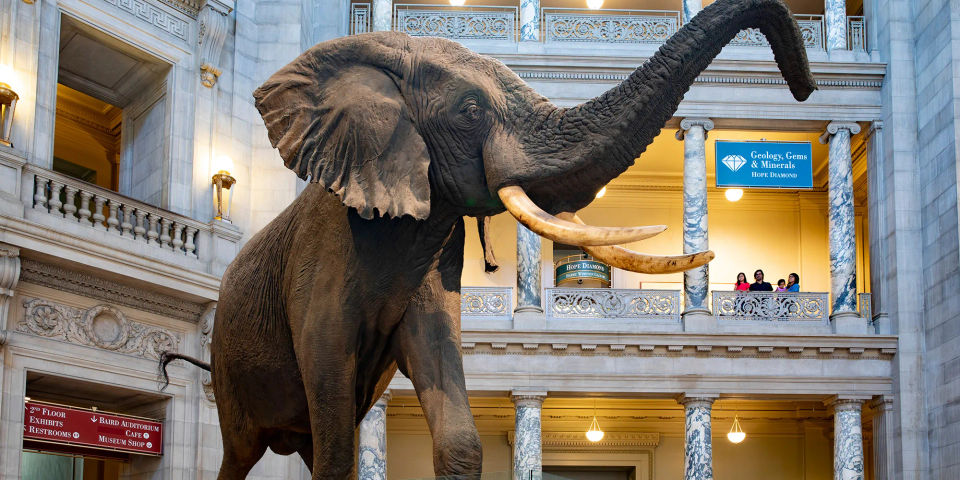
Start with the Smithsonian National Museum of Natural History. You get a proper walkthrough here, not just a slideshow. Each room loads as an interactive space: the Deep Time Hall of Fossils, the Ocean Hall, and several past exhibits that are no longer physically on display. Zoom into the exhibit placards if you want detail. Use the navigation map in the corner to jump between rooms. It’s genuinely one of the best free educational tools on the internet, full stop.
If you teach life sciences and want something that maps directly to your grade level, head to the California Science Center. Their virtual field trips are grade-specific, K through 5, each with free activity guides and videos. The second grade habitats module aligns particularly well with state science standards.
National Geographic’s 360-degree videos on YouTube cover locations including coral reefs, volcanoes, and Mount Everest. Good for whole-class projection. They’re videos rather than interactive tours, though, so pair them with guided discussion rather than letting students browse on their own.
History and social studies.
The Smithsonian National Museum of American History works differently. No walkthrough tour here. Instead you get dozens of standalone online exhibits: the presidency, the Star-Spangled Banner, the American food story, and plenty more. Each one mixes photos, video clips, and readable text at a level upper elementary students can handle on their own. That’s useful. It frees you up to move around the room instead of narrating the whole thing yourself.
For anything covering the founding of the United States, Historic Philadelphia’s virtual tours offer photo and video-based experiences of Independence Hall, the Liberty Bell, and surrounding landmarks. Simple. Effective. Pairs perfectly with a writing task afterward.
The Battleship New Jersey offers virtual field trips via Zoom that skew slightly older in tone, but work well for upper elementary U.S. history units covering the twentieth century. Note: unlike the other resources here, these carry a per-session cost.
Take students out of the country and into Europe, try our free resource, ancient Rome resource, Take students back in time to the Colosseum for their history lesson. Our curriculum expert Sarah walks through how to use VR in lessons to boost students’ knowledge retention of the Romans.
Space and STEM
Two options for the International Space Station, and they couldn’t be more different. NASA made a video tour. The European Space Agency built something better: a proper 360-degree panoramic walkthrough, stitched together from photos that ESA astronaut Samantha Cristoforetti took before she left the station after 199 days aboard. Students can poke around each module at their own speed. We’d go with the ESA version every time. Kids stay focused longer when they’re controlling the experience.
Over at NASA Glenn Research Center, there’s a separate set of virtual tours. Tap an icon, get a video or image of a wind tunnel, a propulsion lab, a test chamber. Not as polished as the Smithsonian, but brilliant for engineering units. Great for engineering units.
Then there’s the Boeing/Discovery Education FUTURE U. programme. It’s a library of video-based virtual field trips, each running about half an hour, with downloadable educator guides and hands-on companion activities you can run in class. Pitched at middle and upper elementary, so grades four and up will get the most from it.
Art and culture
Google Arts & Culture has quietly become one of the most useful tools in this space. The Expeditions section alone has hundreds of 360-degree tours: museums in Paris, heritage sites in Peru, underwater reefs, volcanic landscapes. You can sort by subject (science, geography, art, natural history) and project them for the whole class or push individual tours via Google Classroom. It’s worth a fresh look if you haven’t checked in for a while.
Discovery Education’s Virtual Field Trips are free, tied to standards, and each one ships with an educator guide you can download and use as-is. They rotate the topics regularly. Recent ones covered marine manufacturing, wildlife conservation, and polar bear ecology.
Quick reference
| Resource | Best for | Grades | Format | Link |
| Smithsonian Natural History | Science, nature | K–5 | Interactive walkthrough | Visit |
| California Science Center | Life sciences | K–5 | Videos + activity guides | Visit |
| Google Arts & Culture | Cross-curricular | K–5 | 360° tours | Visit |
| Discovery Education | Science, STEM, careers | 3–5 | Video + educator guides | Visit |
| ESA ISS Tour | Space, engineering | 3–5 | 360° walkthrough | Visit |
| NASA Glenn Research Center | Engineering, STEM | 3–5 | Interactive virtual tour | Visit |
| Boeing FUTURE U. | Aerospace, STEM | 4–5 | Video + educator guides | Visit |
| Historic Philadelphia | U.S. history | 3–5 | Photo/video-based | Visit |
All worth bookmarking. All free except where noted.
Good resources, but they hit a ceiling pretty fast
Credit where it’s due. A second grader in rural Oklahoma can walk through the Smithsonian. A third grader in inner-city Chicago can look around every module of the International Space Station at their own pace, on a school Chromebook. That access matters.
But once you’ve used a few, you’ll notice the limitation: free virtual field trips on a flat screen are still a watching experience. Students look at images. Click arrows. Watch videos. Better than reading about a coral reef in a textbook? Of course. But your students are still spectators.
Why does that matter? Because the research on how students learn is pretty clear on this one.
A 2024 critical review in Frontiers in Psychology pulled together 33 studies on VR in classrooms. The finding that kept coming up: immersive VR can lift student outcomes across cognitive, behavioral, and affective engagement. Not just attention. Students got more involved. They reported feeling more connected to the material.
PwC’s study on immersive learning puts a number on it: VR-trained participants were 275% more confident in applying what they’d learned compared to classroom-taught peers, and felt 3.75 times more emotionally connected to the content. Those figures came from corporate soft skills training, but the underlying principle applies in a classroom too. Feeling present inside something, rather than looking at it through a screen, changes how much sticks. Nine-year-olds. Thirty-nine-year-olds. Same story.
What happens when students stop watching and start feeling like they’re there
Same destination. A completely different experience.
Send your class to ancient Rome on a laptop, and they’re looking at pictures of the Colosseum. Put VR headsets on those same students, and they’re standing inside it. They look up at the arches. They turn around and see the arena stretching out behind them. After a ClassVR session on ancient Rome at the University of Oxford, led by Dr Christina Kuhn, students described the experience as one that “really brought the past to life in a way that usually static reconstructions in other visual media do not, and I don’t think, even could.” It’s that gap between seeing a picture and feeling like you’ve been somewhere that drives the learning gains.
ClassVR takes those same virtual field trip concepts and makes them immersive. Your students put on purpose-built headsets. They move through the environment. Meanwhile, you’re running the whole thing from the ClassVR portal on your screen:
- Guiding the group through an experience at a shared pace
- Pausing to discuss a point of interest mid-session
- Locking headsets when it’s time to regroup
And this isn’t theoretical. A study published in 2025, conducted by VR LATAM across seven schools in rural El Salvador, tracked 317 secondary school students (aged 14–18) using ClassVR for science lessons. The results:
| Measure | VR group (ClassVR) | Control group (traditional methods) |
| Knowledge retention increase | 35.2% | 2.66% |
| Motivation (satisfaction, attention, relevance) | Held steady or improved | Declined across all three |
The students were older than elementary, but the mechanism is the same: immersion drives retention across age groups.
How to make any virtual field trip stick
Whether you’re working with a browser tab or a box of headsets, a few things separate the trips students remember from the ones they’ve forgotten by lunch.
1. The prep you do beforehand matters more than which tool you use.
This catches teachers off guard, but it’s true. The trips that work aren’t the flashiest ones. They’re the ones where the teacher walked in with three or four questions written on the board, told students what to look for, and then actually debriefed properly at the end. Even something small does it. A reflection sheet: draw your favourite moment. Write one sentence about something you didn’t know before. That takes five minutes to prepare and it turns a passive viewing into something students actually process. All the difference.
2. Keep sessions short and directed
Fifteen minutes of focused virtual exploration beats 45 minutes of free browsing. Every time. We recommend keeping VR segments to around 15 minutes per lesson, whether you’re using browser-based resources or headsets. That’s enough to explore a location properly and keeps attention sharp right through to the debrief.
A practical tip if you’re using headsets: use the ClassVR portal’s waiting room feature to notify the whole class when it’s time to take the headsets off. Much better than clapping your hands and hoping for the best.
3. Put it in the middle of a unit, not the end.
A virtual field trip to the International Space Station lands completely differently when your class is already two weeks into their Earth and space science topic. Save it for the last day as a treat and it floats, disconnected from everything else. Drop it mid-unit, and it reinforces what students are already learning. It becomes part of the lesson rather than a novelty alongside it.
4. Use it as a writing prompt.
VR sessions give students something that felt real to write about: specific details they noticed, sounds they heard, places they “stood.” In a ClassVR case study on lines and angles, the teacher reported that students were “100% engaged during the entire lesson” while using the headsets to explore geometry in a virtual environment. That kind of engaged attention carries directly into follow-up writing tasks.
Want to try VR field trips with your class?
If you’ve already been using free virtual field trips, you’re closer to this than you think. You already know which destinations work, how to tie them into your curriculum, and how to keep 25 students on task during screen time. VR headsets take that same foundation and add the one thing a flat screen can’t: the feeling that your students have actually been somewhere.
ClassVR was built for elementary schools. Not adapted for them. Built for them.
- Xplorer headset — adjustable strap sized for younger students, wipeable hardware, and no consumer app store. Nothing on it that shouldn’t be there
- Eduverse content library — hundreds of thousands of immersive experiences mapped to U.S. state standards, searchable by subject and grade
- EduverseAI — type a short description of the scene you need and it generates a custom 360-degree environment. Teaching a local history unit and can’t find a relevant VR experience? Write one. Your students explore it ten minutes later. No free virtual field trip site can do that
If budget is the barrier, our grant funding guide covers Title I, Perkins V, IDEA, and other federal programs that schools are already using to fund classroom VR.
Free virtual field trips take your students somewhere they couldn’t otherwise go. VR puts them right inside the experience. Both belong in your classroom. But only one will have your students still talking about it come June.
How are Schools Implementing Virtual Reality in the Classroom? Get our FREE guide today!
Our “50 Creative Ways to Use ClassVR” provides practical and inspiring lesson ideas directly from our customers. Learn how students of all ages have explored a wide range of content in line with the curriculum, find out how teachers have used VR as part of their smart classrooms and how you could spark learning opportunities in your school’s classroom setting!