
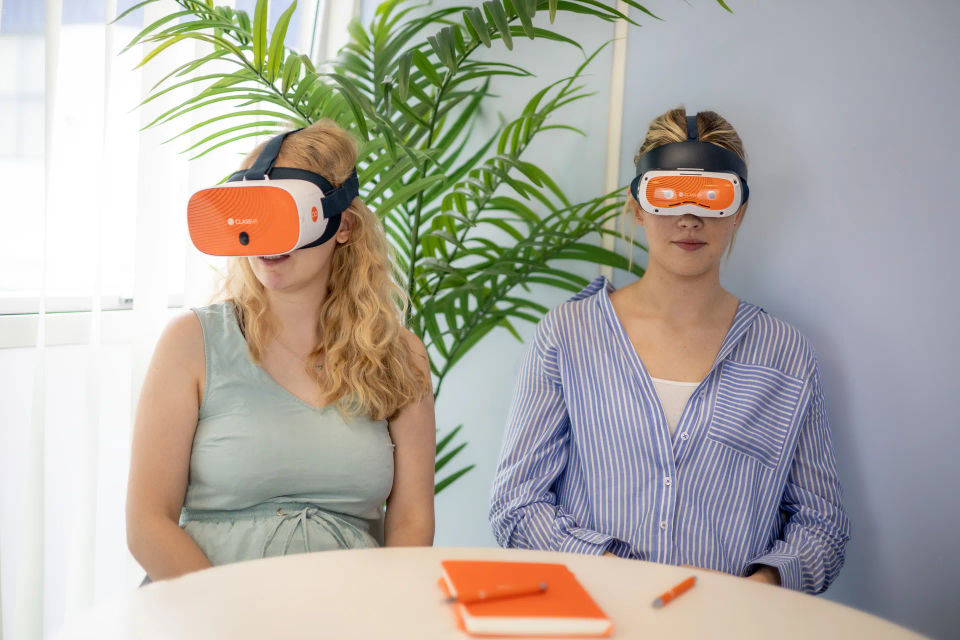
VR coding means two things, and both are worth knowing about.
One puts students inside the headset to write and manipulate code directly. This is an emerging way to make robotic prototypes, spatial and computational thinking visible. The other, has students code at a computer as usual, but then step into the headset to see their code come to life.
ClassVR supports both. This guide breaks down what each one is, why it works, and how to bring it into a K-8 lesson.
The two things called VR coding
Search for VR coding and you’ll get results describing two activities that have nothing but the hardware of VR in common.
Coding inside a headset means writing and editing code while wearing one. Researchers have built environments for it and there are interesting findings about spatial arrangement of code. In a K-8 classroom it falls over on something mundane, which is that typing needs a keyboard, and a headset takes the keyboard away. Keep an eye on it, but it isn’t the lesson.
Coding for a headset means students write block code on a computer that builds a 3D scene, then put on a headset to walk through what they made. The coding happens at a desk with a mouse and keyboard, exactly as it always has. The headset is where the program runs.
An example of VR coding:
A student writes eight blocks of code. They put on an Xplorer headset, they immersively watch the character they created walking to the door, turn, and wave. Sometimes It doesnt go as they planned, they take the headset off, adjust the code, put the headset back on, and see it walk correctly intended to walk in at the start.
The benefits: Students have demonstrated problem solving skills, they are more likely to remember the code correctly from solving the error.
A second example of VR coding, Students put on an Xcelerate headset, they build their own robot coding basic formats from inside the headset. Using the 6dof controllers they have full control of their creation. When happy, they lift their visor to document there code and learnings.
Both are great examples of how to drive strong interactive coding lessons. Its the argument where for computer science lessons, VR is not a gimmick, it’s the resource that can inspire students to think deeper, solve problems and retain what they have learnt, an essential Computer science resource.
Why VR Coding Works in a Classroom
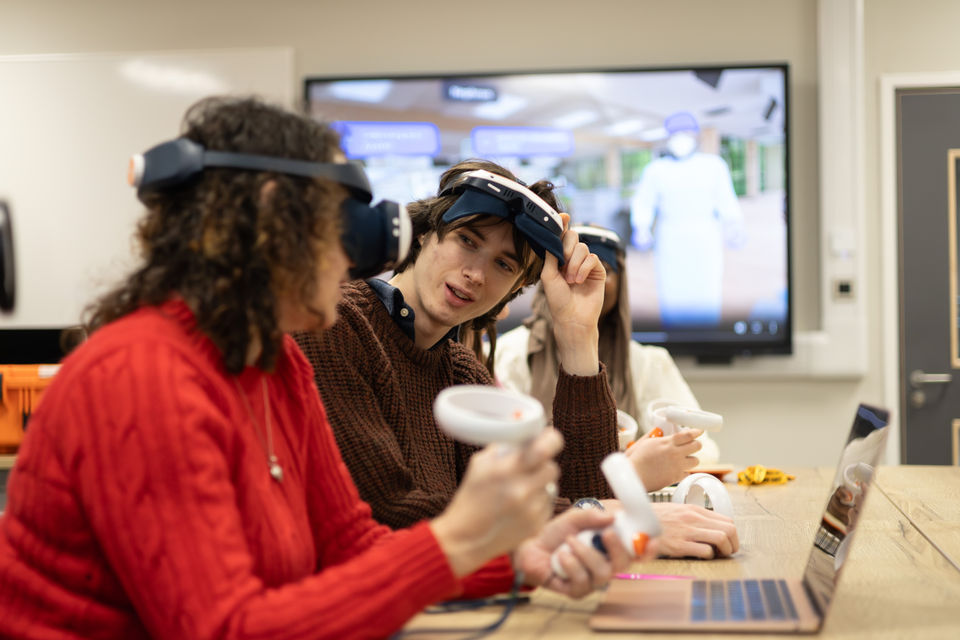
Ask most students to picture “coding” and they’ll think of lines of text on a screen, a syntax error, and a teacher hovering nearby to help debug. It’s not exactly the stuff of engagement. But put that same student inside the environment they’re building. Let them walk around the world their code just created and something shifts. That’s the premise behind VR coding, and it turns out the classroom evidence backs it up.
From consumers of technology to creators of it
Most of the technology students encounter in school, they simply use. VR coding flips that relationship. An open coding and creation platform lets students design, build, and code their own immersive VR environments. Moving them from passive consumers of tech into active creators of it. That shift alone changes how students relate to the subject: coding stops being an abstract exercise and becomes a tool for making something real.
Meeting every learner where they are
One of the biggest barriers in computing education is the jump from “drag and drop” logic to real programming syntax. VR coding platforms are built to progress students from block coding all the way to TypeScript, meeting learners at whatever stage they’re at rather than forcing everyone through the same entry point. A student who isn’t ready for text-based code yet can still build and create; a more advanced student can push into real programming languages without switching tools or platforms.
Learning through doing, not worksheets
Computational thinking — breaking problems down, spotting patterns, building step-by-step logic — is notoriously hard to teach in the abstract. VR coding gets there through game-based engineering challenges instead of drills, which measurably increases student motivation and interest. Students are solving problems because they want to see what happens next, not because a worksheet told them to.
Proof you can actually see
Traditional coding assessment often comes down to a test score or a static piece of code a teacher has to read and interpret. VR coding is genuinely open-ended: a student’s own VR creation becomes tangible, visible evidence of the computing skills they’ve developed. Teachers — and students themselves — can see understanding rather than infer it.
The numbers behind VR learning
The case for VR coding sits on top of a broader, well-documented case for VR learning generally. Compared to students taught with traditional methods, VR learners are:
- 4x more focused
- 4x quicker to retain knowledge
- 3.75x more emotionally connected to lessons
- 275% more confident applying what they’ve learned
For a subject like coding, where confidence and persistence often determine whether a student sticks with it, that jump in engagement and retention matters as much as the content itself.
Built for the classroom, not just the headset
None of this works if a room full of headsets is unmanageable for one teacher. This is where the classroom infrastructure around VR coding earns its keep: real-time monitoring, an “attention mode” to pull every student’s focus back at once, instant content push to every device, and fully locked-down headsets. It’s the difference between a novelty demo and a lesson a teacher can actually run, on a Tuesday, with 30 students, without losing control of the room.
.jpg?tr=w-960)
St Walter School. Students test in the headset and go back to the code at the desk.
What the research says, including the bit about scaffolding
Two meta-analyses matter here, and the second one contains the finding most likely to change how you teach the unit.
The first is Yu, Yu and Li’s meta-analysis in the Journal of Educational Computing Research, published online in October 2024. It’s the first meta-analysis of block-based visual programming in K-12, drawing on 42 effect sizes from 29 independent experimental studies published between 2000 and 2023. Block-based programming produced an upper-medium effect on learning, a standardized mean difference of 0.769 with a confidence interval of 0.554 to 0.984. Solid, well-established, worth building a unit on.
The second is Wang and colleagues in Education and Information Technologies, a meta-analysis of 28 empirical studies of K-12 programming teaching. The overall effect sat at the upper-middle level, with a confidence interval of 0.60 to 0.83. Then they compared teaching methods against each other, and that comparison is the useful part.
| Finding | Effect size |
|---|---|
| Block-based visual programming, K-12 learning outcomes | SMD = 0.769 [0.554, 0.984] |
| Programming teaching overall, computational thinking | 95% CI [0.60, 0.83] |
| Scaffolding programming | ES = 1.84 |
| Problem-based programming | ES = 1.14 |
| Learning scaffold as a moderator | ES = 0.83 |
Scaffolding programming and problem-based programming are the most effective teaching methods and can significantly promote the development of K-12 students’ computational thinking.
Wang et al., Education and Information Technologies, 28 studies
Scaffolding at 1.84 dwarfs everything else in that analysis. Which tool you pick matters less than whether students get a worked example, a partly finished project and a clear next step instead of a blank canvas and an encouraging speech. That finding is inconvenient for anyone selling a platform, including us, and it’s the single most useful thing in this article.
Worth knowing too that escape rooms have been studied specifically as a way to teach programming. Ugo and colleagues published a systematic literature review of exactly that in Review of Education, which is a reasonable follow-on if the format appeals.
Five VR coding examples to show students
Each one includes a VR headset that displays immersive content.
1. The guided tour
Grades 3 to 5 · Scene exploration
Students can become a character that walks through a fixed route of a scene and stop at points to learn about something new.
The code: Preprgrammed, sequence and simple movement.
The Task: put the headset on and follow the Instructions precoded onto the software. Our Eduverse Exporable scenes are set up to guide students through learning.
Post Session: Teachers can Inspire students to want to learn to code, by explaining how this scene was built.
2. Build and Create
Grades 4 to 6 · Immersive visualisation
Using ClassVR create and upload feature on Xplorer headsets available with an Eduverse subscription, Students can create anything, including building 3D Worlds with tools like Delightex. Students have built a colonnade, a fence or a row of trees using a loop, which beats placing forty objects by hand.
The code: as simple or as complexed to standard of learning required.
The test: stand at one end. Miscounted loops are obvious from inside and invisible from above.
3. Gamification learning
Grades 5 to 7 · Conditionals
A door opens only if the student is carrying the right object, or has visited another room first. OR Three answer objects on the floor. Stepping on the right one triggers a success event, the wrong ones reset the room. These are just some examples on how students learn through conditional behaviour.
With Interactive VR scenes, like escaperooms… coming soon to Eduverse+, Students can test, play and learn the right and wrong, with the concept of puzzle solving.
This concept of learning allows students to understand the theoretical concepts of coding. With Coding, for something to be built as a working model, each piece needs to be correctly coded. If not, breakages happen and debugging of the concept until resolved.
The code: Prebuilt, ready to test.. The test: try to solve it. Every student enters the solution they believe is correct, which is exactly the test case you wanted them
5. Coding and Robotics
Grades 6 to 8 · Build your own robot in VR
With ClassVR’s EduverseSTEM, You can build robots of varying sizes, swapping between pocket-sized creations and Godzilla-sized mechs in a resizable room, customizing how robots move and operate, and sharing designs through an online community workshop. All with no equipment of coding experiences needed.
Inspiring and exciting students, by putting them in the role of a roboticist in a warehouse, with an expansive array of parts to design robots and a campaign mode filled with challenges.
The code: no coding experience required.
The test: test the robot, see it live running in the headset using your controls, let classmates break the robot and rebuild based on students initial building instructions
Running it without a headset for every student
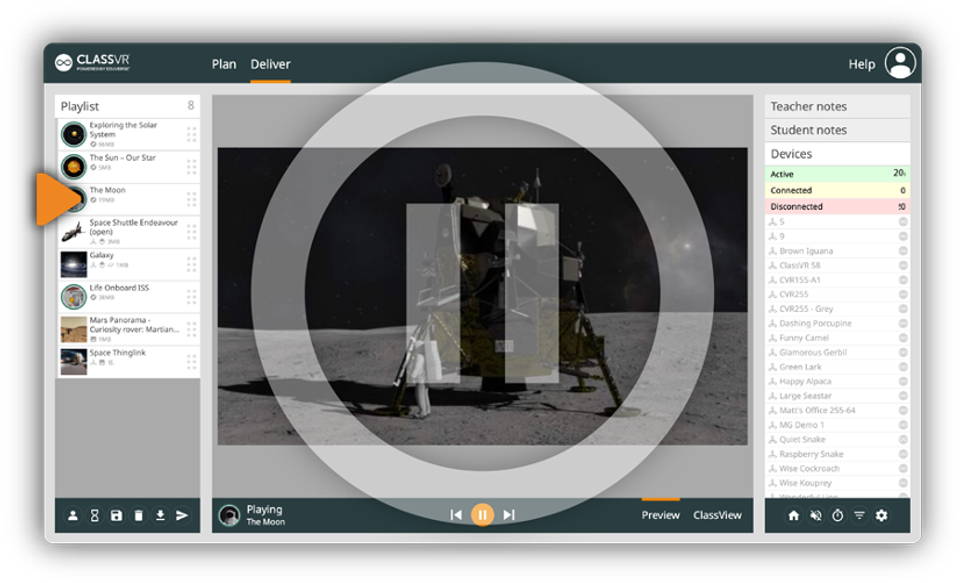
Attention Mode pauses every headset so you can pull the room back.
This is the practical worry, and it’s smaller than it looks. Coding with EduvverseSTEM can be as long or short as the teacher decides. However, if you have only a set of 4, that doesn’t work for a class to see their creations at once.
10 minute viewing sessions allow rotation of the headsets around class and is optimal time for students experience there creations. Furthermore, the ClassVR portal lets you see what each student is looking at through ClassView and pause everyone at once with Attention Mode when you need the room.
Lesson example that works: ten minutes reviewing yesterday’s bug, twenty-five minutes coding in pairs at computers, and a rolling test station where two students at a time put a headset on and report back. Nobody waits, and the pair at the desk keeps working while their partner tests.
What VR coding won’t fix
Be clear about the limits: A headset changes the output of the program. It doesn’t change these:Teach syntax or logic on its own. The scaffolding does that, and the evidence is emphatic about it.Replace a computer science curriculum. This is a project format that sits inside one.Substitute for a keyboard. Students code at a computer, every time.Make a blank-canvas project work. Start from something half-built or watch the session dissolve.Prove individual understanding. A working scene tells you the pair got there, not who wrote the conditional.Used as the test environment for code students wrote at a desk, it earns its place easily. Used as the lesson itself, it’s an expensive way to show a 3D model.
Where to start
Pick one project from the five above and one concept you’re already teaching. Give students a scene that’s about 70% built, with the last section deliberately broken, and have them fix it before they add anything of their own. That single change does more for the outcome than any hardware decision, and the scaffolding number is why.
Then track one thing across three lessons. How many groups fixed the bug without asking. How many wrote a test before running it. Narrow beats broad when you’re deciding whether to keep going.
If you’re weighing this up for a specific grade band, the pages on VR for middle school and VR for trade school cover how the same kit gets used further up. Seeing how ClassVR works in one classroom for a semester will tell you more than a district-wide rollout.
Frequently Asked Questions
What is VR coding?
VR coding covers two different things. Writing code inside a headset is one, and it suits research settings more than classrooms because there’s no keyboard. Writing code that builds a virtual scene students then step into is the other, and that’s the version that works in K-8.
Can students learn to code using virtual reality?
Yes, when the coding happens on a computer and the headset is where students experience the result. Block-based visual programming has a well-evidenced effect on K-12 learning outcomes, and the headset supplies a reason to keep debugging until the scene behaves.
Does block coding actually improve computational thinking?
The first meta-analysis of block-based visual programming in K-12, drawing on 42 effect sizes from 29 experimental studies, reported an upper-medium effect on learning with a standardized mean difference of 0.769. A separate meta-analysis of 28 programming studies found scaffolding to be the strongest single lever, at an effect size of 1.84.
What age can students start VR coding?
Block-based coding tools are generally usable from around grade 3, and the projects in this guide are pitched at grades 3 to 8. Younger students manage sequence and simple loops. Middle school students handle conditionals, variables and collision events.
Do you need a headset for every student to teach VR coding?
No. Students code at computers in pairs and take turns in the headset to test. A class set is useful but a small number of headsets on a rotation works, because the headset time is short and the coding time is long.
Bottom line
The honest version of this pitch is smaller than the usual one. A headset doesn’t teach anyone to code. What it does is turn an abstract output into a place, which makes debugging feel worth doing to an eleven year old, and that’s a real problem solved rather than a marketing line.
The thing that actually moves computational thinking is scaffolding, at an effect size roughly double anything else in the literature. Build the half-finished scene. Break it deliberately. The headset is what makes them want to fix it.
See a coding project with your own class
Browse the resource hub for lesson ideas and classroom examples, or book a free demo and run one of the five projects with your students.
Book a Free Demo | Browse the Resource Hub
The best moment in one of these lessons is a student taking the headset off mid-test and going straight back to the blocks without being told.